Jan 21, 2026
Your Complete Guide to Stella AI on WhatsApp
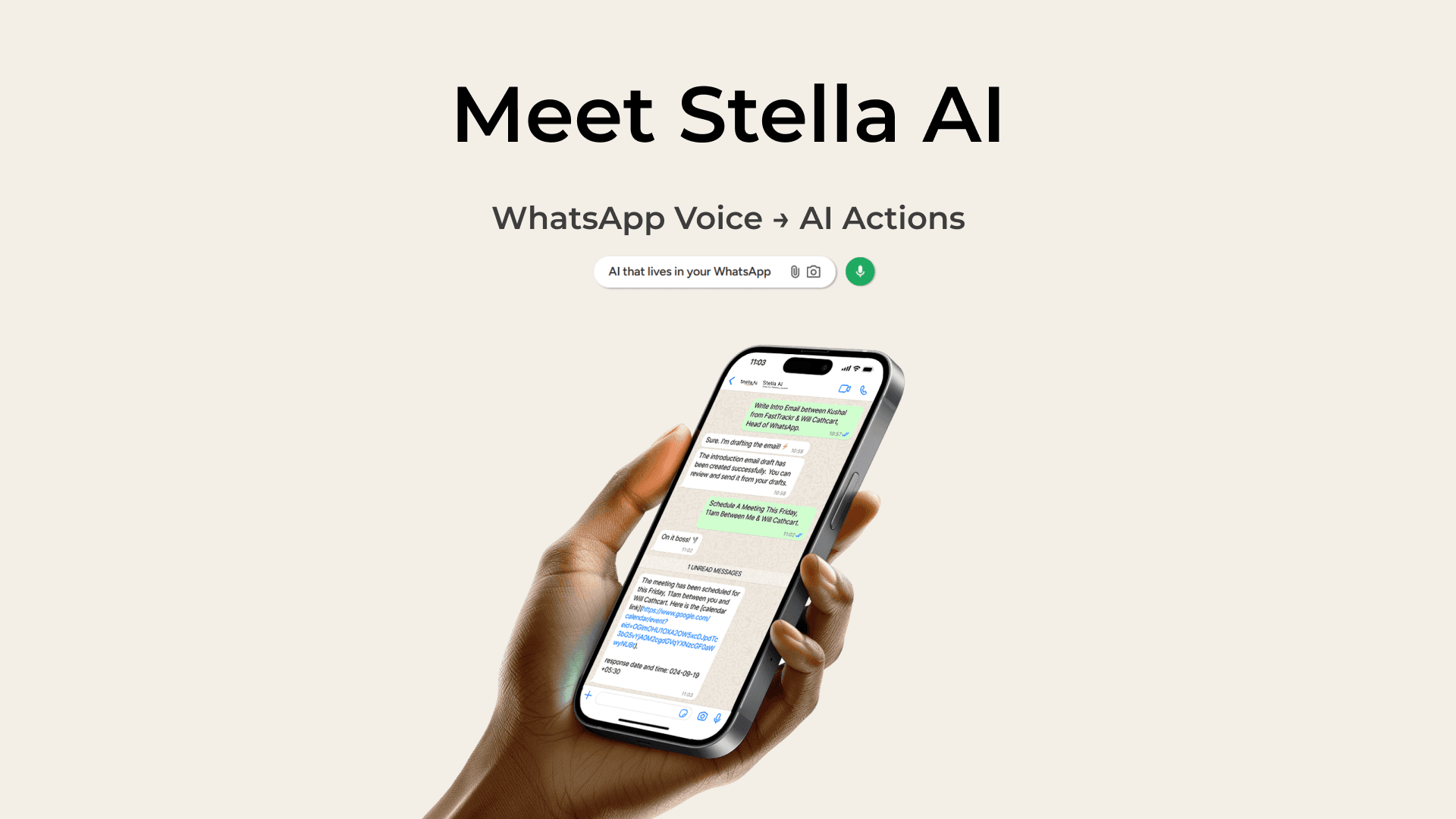
WhatsApp Voice —> AI actions
Schedule meetings, draft emails, create tasks, and summarize WhatsApp groups - all using simple voice commands in WhatsApp. No app downloads required.
5+ Hours Saved Weekly | 90% Cheaper than Human EAs | 50+ Languages Supported
If you're spending hours every week on repetitive tasks like scheduling meetings, drafting emails, or catching up on busy WhatsApp groups, Stella AI is about to change your life.
This WhatsApp-native AI assistant lets you handle your entire productivity workflow using simple voice messages (familiar voice button) - no new apps to download, no learning curve, and no switching between platforms.

What You'll Learn
Draft Professional Emails via Voice
Voice-to-Text Transcription
Create Tasks & Reminders
WhatsApp Group Summaries
Create Calendly-Style Scheduling Links
Web based Dashboard & Settings
1. Create Calendly-Style Scheduling Links Instantly
Share your availability in seconds without switching apps.
Need to share your availability for a meeting? Instead of going back and forth with "What time works for you?", simply ask Stella to create a scheduling link. Within seconds, you'll have a professional, shareable link that shows your real-time availability synced with your Google Calendar.
🎤 Voice Command Example: "Give me a calendar link that I can share for next 72 hours of my availability"
How It Works:
Send a voice message to Stella on WhatsApp requesting a scheduling link
Stella syncs with your Google Calendar and generates a unique link
Share the link - recipients see available slots and book directly
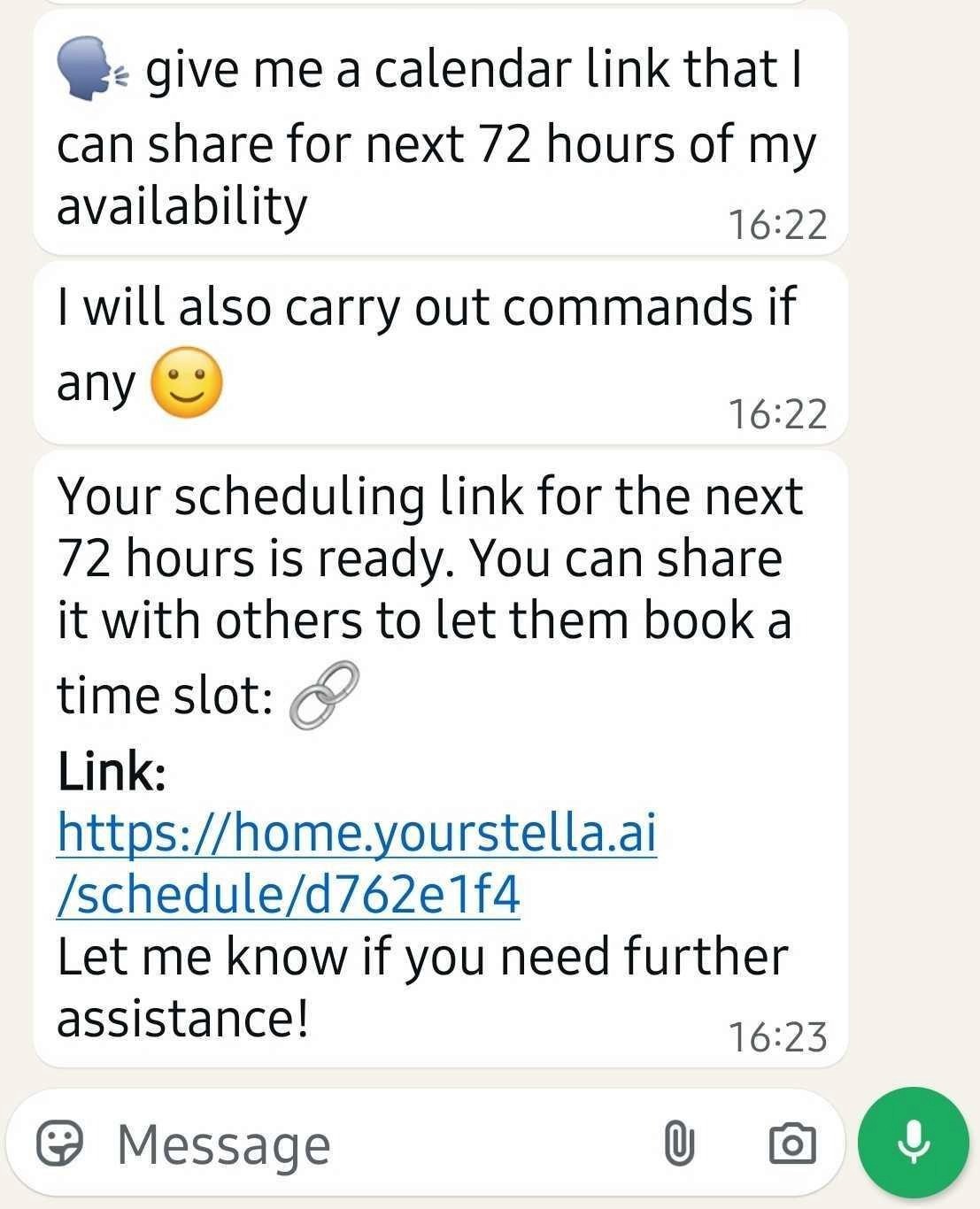
Stella instantly generates a shareable scheduling link
What Your Contacts See
When someone clicks your scheduling link, they land on a clean, professional booking page with a simple 3-step process: Select Time → Your Details → Confirm
Available time slots are displayed clearly. Your contacts can browse different days and pick a time that works—the meeting is automatically added to both calendars.
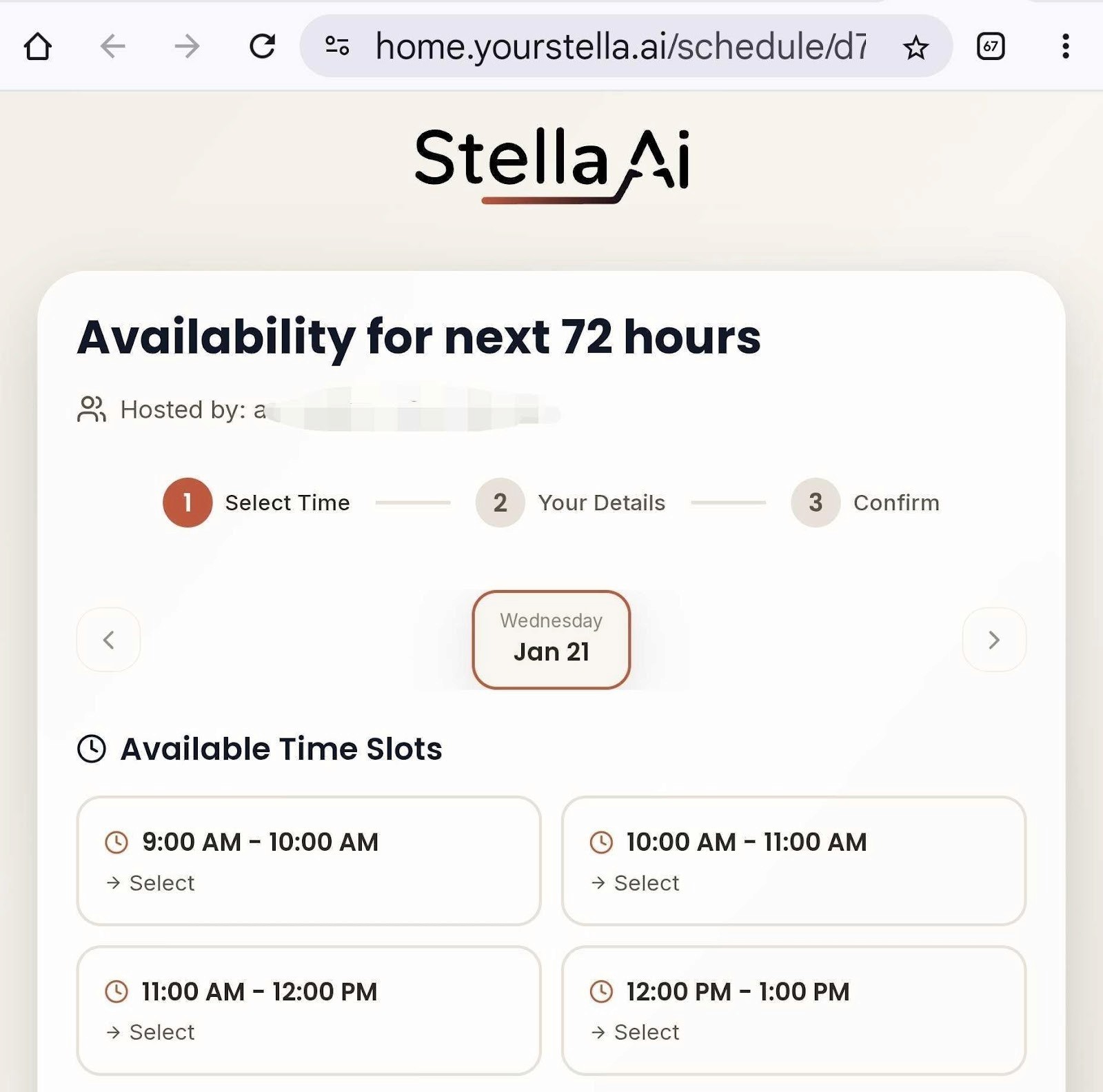
Clean, professional booking page your contacts will see
2. Draft Professional Emails Using Voice Commands
Turn voice notes into polished emails saved to your Gmail drafts
Email is still the backbone of professional communication, but writing them takes time. With Stella, you can dictate your email intent and have a professionally formatted draft waiting in your Gmail.
🎤 Voice Command Example: "Create an intro email between Kushal Prakash of GAI Ventures and Deependra Goyal of Zomato"
What happens: Stella transcribes your voice, understands the context, drafts a professional email, and saves it directly to Gmail. You get a direct link to review and edit before sending.
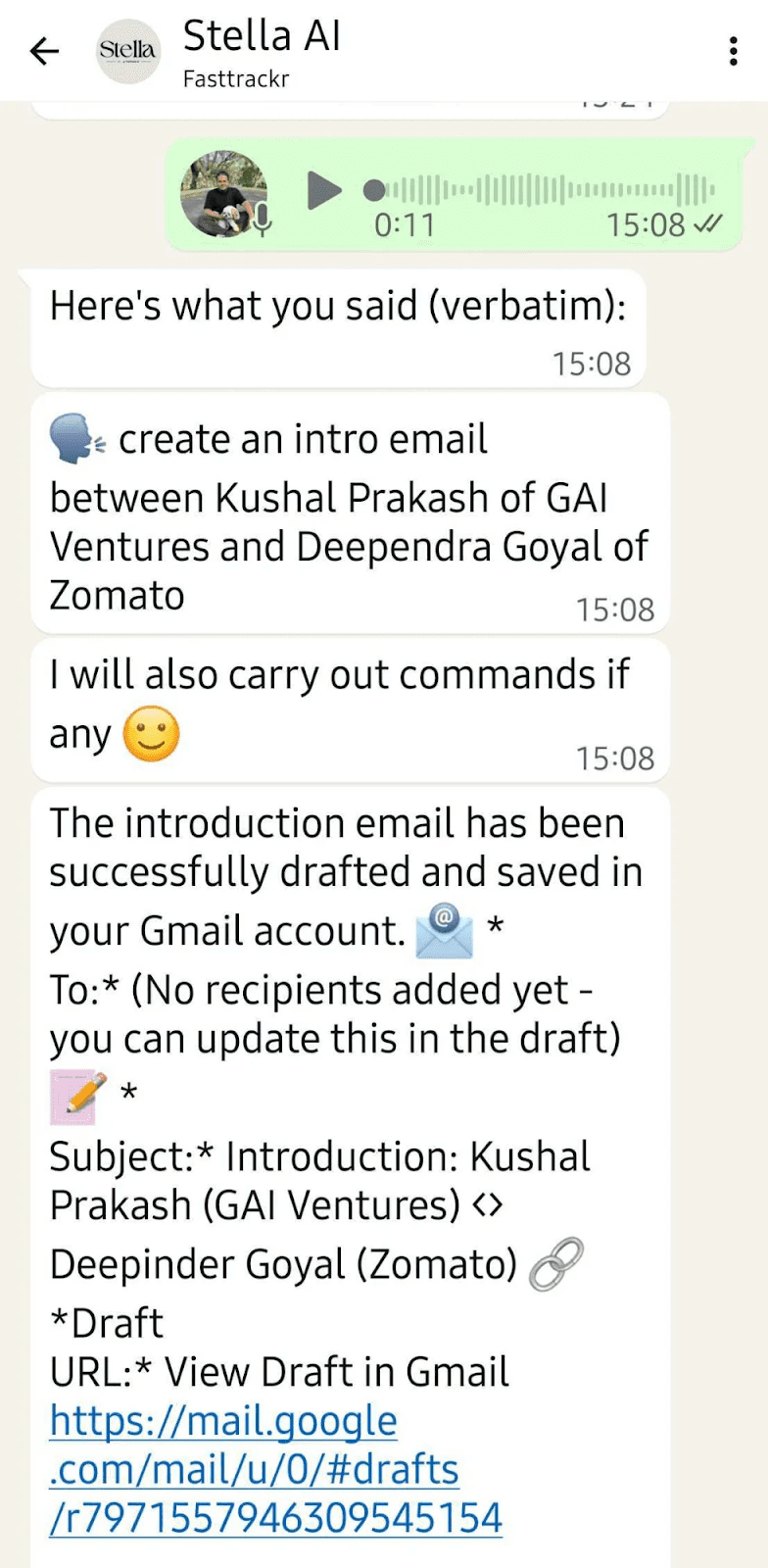
Voice command to email draft—complete with Gmail link
Key Benefits:
Context-Aware: Understands names, companies, and intent from natural speech
Gmail Integration: Drafts saved directly with one-click access
Edit Before Sending: Review and customize every email before it goes out
3. Instant Voice-to-Text Transcription
Turn your spoken thoughts into written text with perfect accuracy
Sometimes you need to capture your thoughts quickly—a comment for a document, meeting notes, or ideas on the go. Stella converts your spoken words into clean, accurate text instantly.
🎤 Voice Command Example: "Please transcribe what I want to comment or respond with..."
Stella transcribes in 50+ languages, captures complex business terminology accurately, and preserves your natural speech patterns.
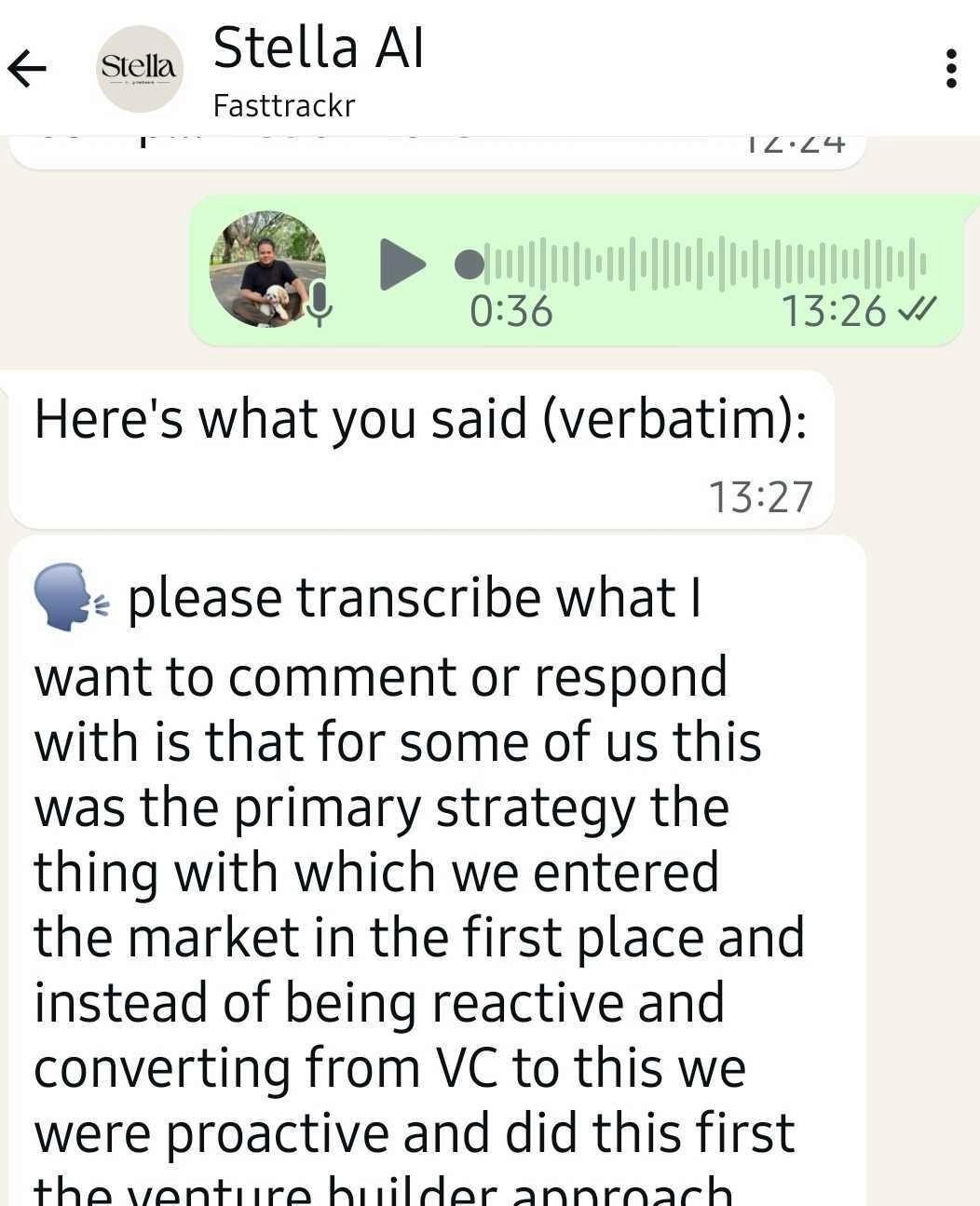
Voice messages transcribed verbatim with full context
Great Use Cases:
Draft comments for documents while commuting
Capture meeting highlights hands-free
Record ideas before you forget them
Compose long messages without typing
4. Create Tasks & Set Reminders with Voice
Never forget important to-dos - Stella reminds you at the right time
Busy professionals often think of tasks at inconvenient moments—during calls, while driving, or right before sleep. Simply tell Stella what you need to do and when you need a reminder.
🎤 Voice Command Example: "Can you please create a task about going through the VWAP bills and making sure that we have paid every one of them?"
What Stella does: Parses your natural language, creates a structured task with name and description, schedules it, and sends you a WhatsApp reminder when it's due.
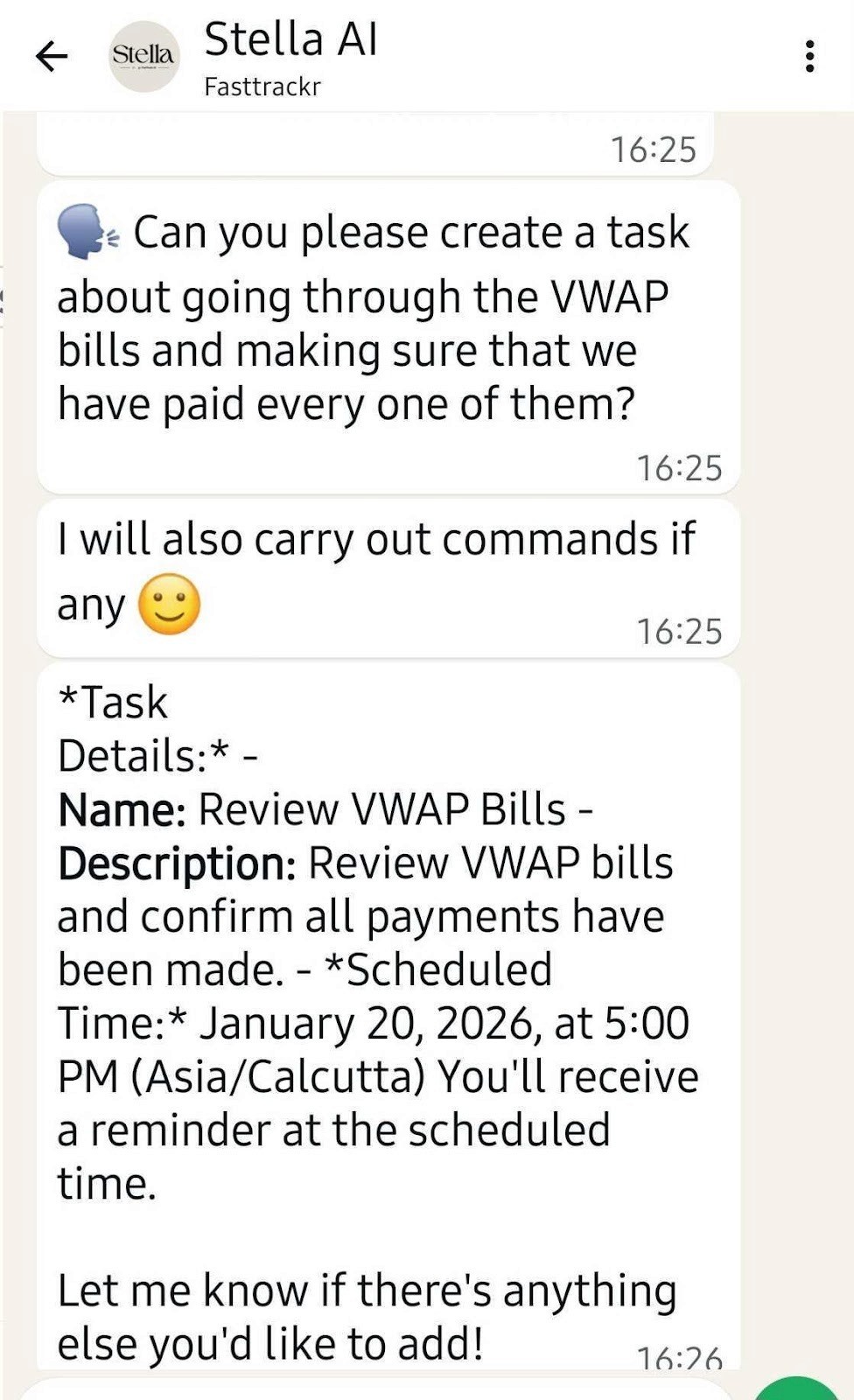
Task created with automatic reminder scheduling
Key Benefits:
Natural Language: Speak naturally—no special syntax required
Smart Scheduling: Set specific times or let Stella suggest
WhatsApp Reminders: Notifications where you already are
Dashboard Access: View all tasks in your web dashboard
5. Intelligent WhatsApp Group Summaries
Never miss important updates—get AI-powered summaries of busy group chats
If you're part of active WhatsApp groups—whether for work, investments, or professional communities—you know how overwhelming it can be to catch up. Stella analyzes conversations and provides structured summaries.
What Every Summary Includes:
Overview Summary: High-level recap of main themes
Key Topics: Organized list of subjects discussed
Highlights: Important announcements & opportunities
Action Items: Tasks or follow-ups to consider
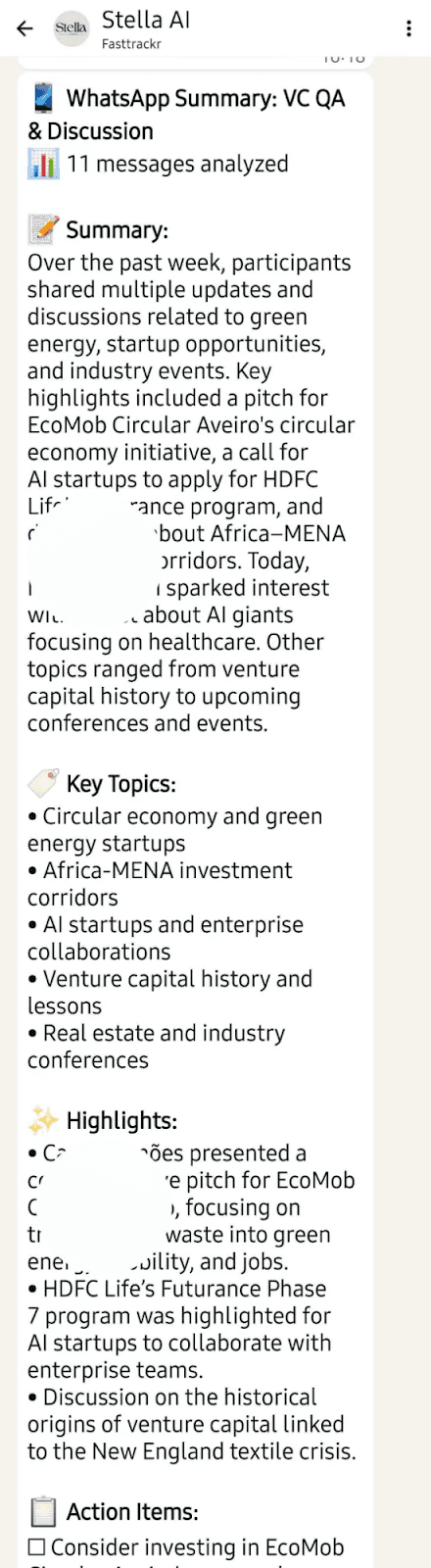
Comprehensive group summary with key topics and action items
6. Powerful Web Dashboard & Settings
Manage everything from your browser - tasks, settings, and WhatsApp group preferences
While Stella works seamlessly within WhatsApp, you also get access to a full-featured web dashboard at home.yourstella.ai. This is your command center for managing tasks, configuring settings, and selecting which WhatsApp groups receive daily summaries.
Tasks Dashboard
View all your tasks, filter by status (Active, Completed, Paused), see priority levels, and manage deadlines. Create new tasks directly or via WhatsApp voice commands.
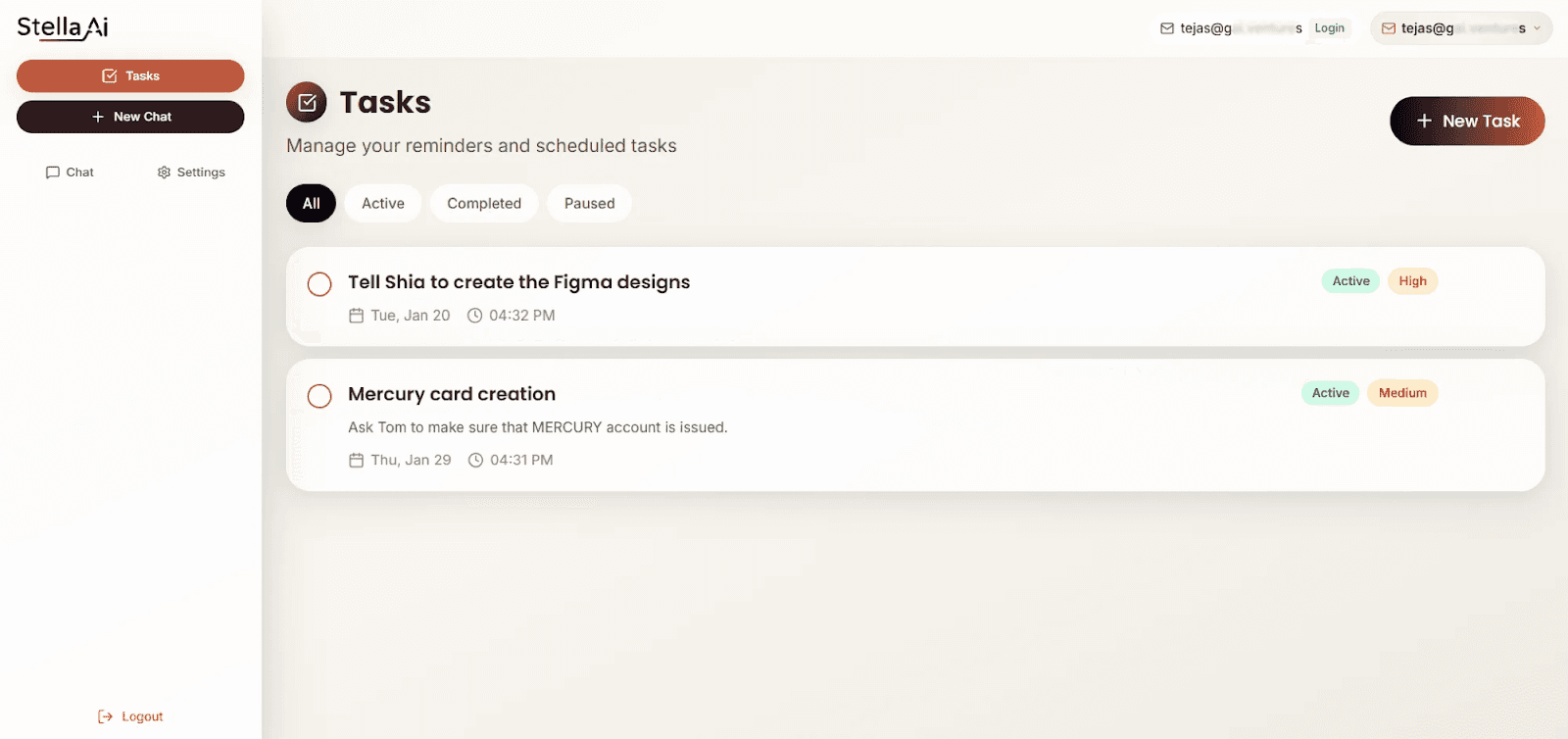
Tasks Dashboard showing task management interface
WhatsApp Group Settings
Select which WhatsApp groups and contacts receive daily AI-powered summaries. Connect your WhatsApp, choose groups, and get summaries delivered every morning.
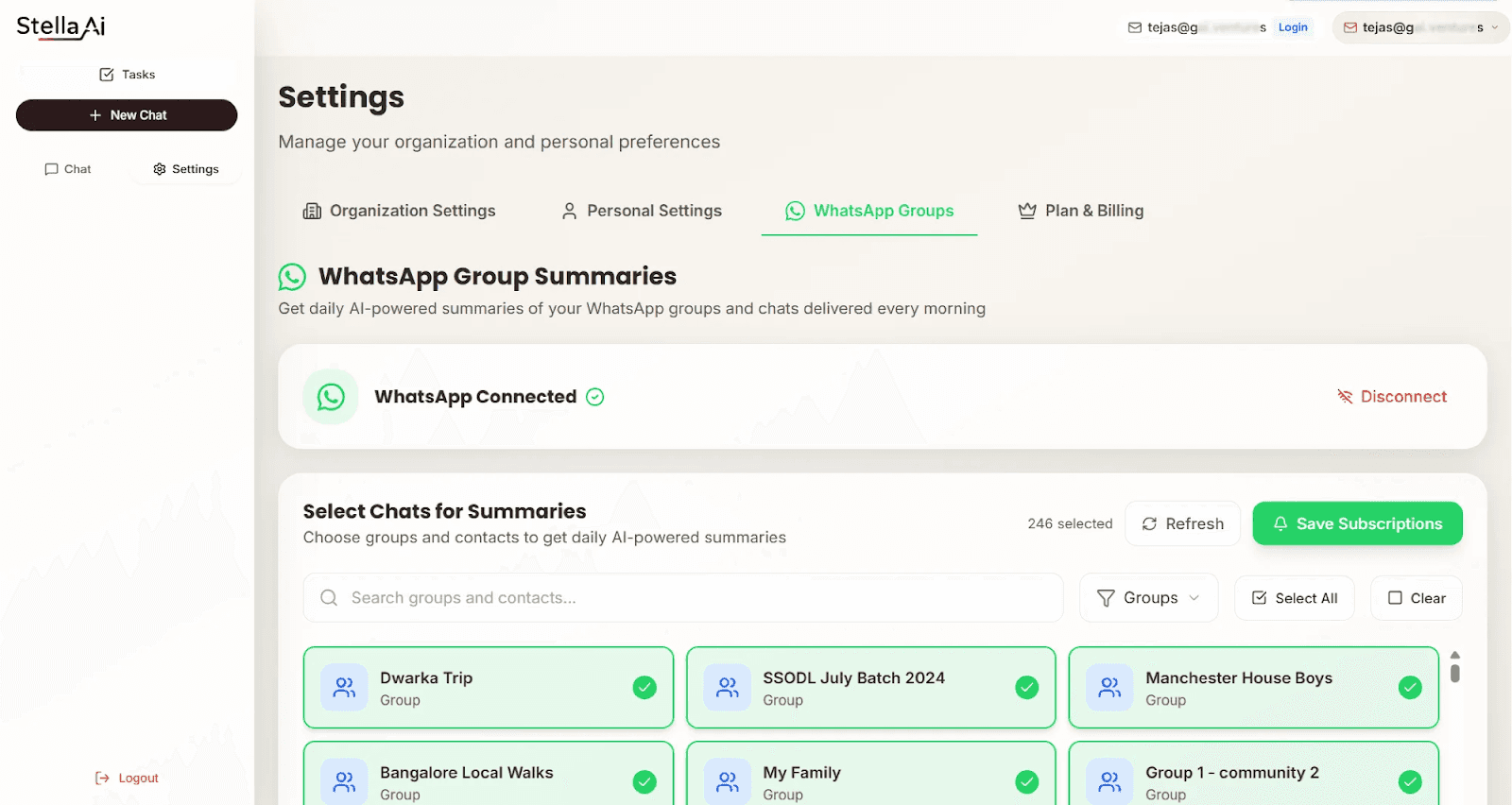
WhatsApp Group Settings showing summary configuration
Getting Started with Stella AI
Begin saving hours every week in under 5 minutes
Quick Setup Guide:
Visit yourstella.ai and choose your plan (starts at ₹299/month)
Connect your WhatsApp to Stella's secure platform
Link Google Calendar & Gmail for full integration
Start sending voice commands—Stella is ready to assist!
Stella AI is SOC 2 certified, ensuring enterprise-grade security for your data. Your calendar, emails, and conversations are protected with industry-standard encryption.
Why Choose Stella AI:
SOC 2 Certified: Enterprise-grade security
50+ Languages: Speak in your preferred language
No App Download: Works in WhatsApp you already use
Affordable Plans: Starting at just ₹299/month
Ready to Reclaim Your Time?
Join 1,000+ professionals saving 5+ hours every week with Stella AI.
Get started at: Check Pricing
Frequently Asked Questions
Do I need to download a new app?
No! Stella AI works entirely within WhatsApp. Simply connect your account through our web dashboard, and start sending voice commands immediately.
How does the scheduling link work with my calendar?
Stella syncs with your Google Calendar in real-time. When you request a scheduling link, it reads your actual availability and only shows free slots. When someone books, the event is automatically added to your calendar.
Is my data secure?
Absolutely. Stella AI is SOC 2 certified, meaning we meet rigorous security standards for handling your calendar, email, and conversation data.
What languages does Stella support?
Stella supports 50+ languages for voice transcription and commands including Hindi, English, Spanish, Mandarin, and many others.
How much does Stella AI cost?
Plans start at ₹299/month, making it 90% cheaper than hiring a human executive assistant. Visit yourstella.ai/pricing for details.
© 2026 Stella AI. Your AI Executive Assistant on WhatsApp.